
Is the Microsoft Windows 11 Home key original and legal?
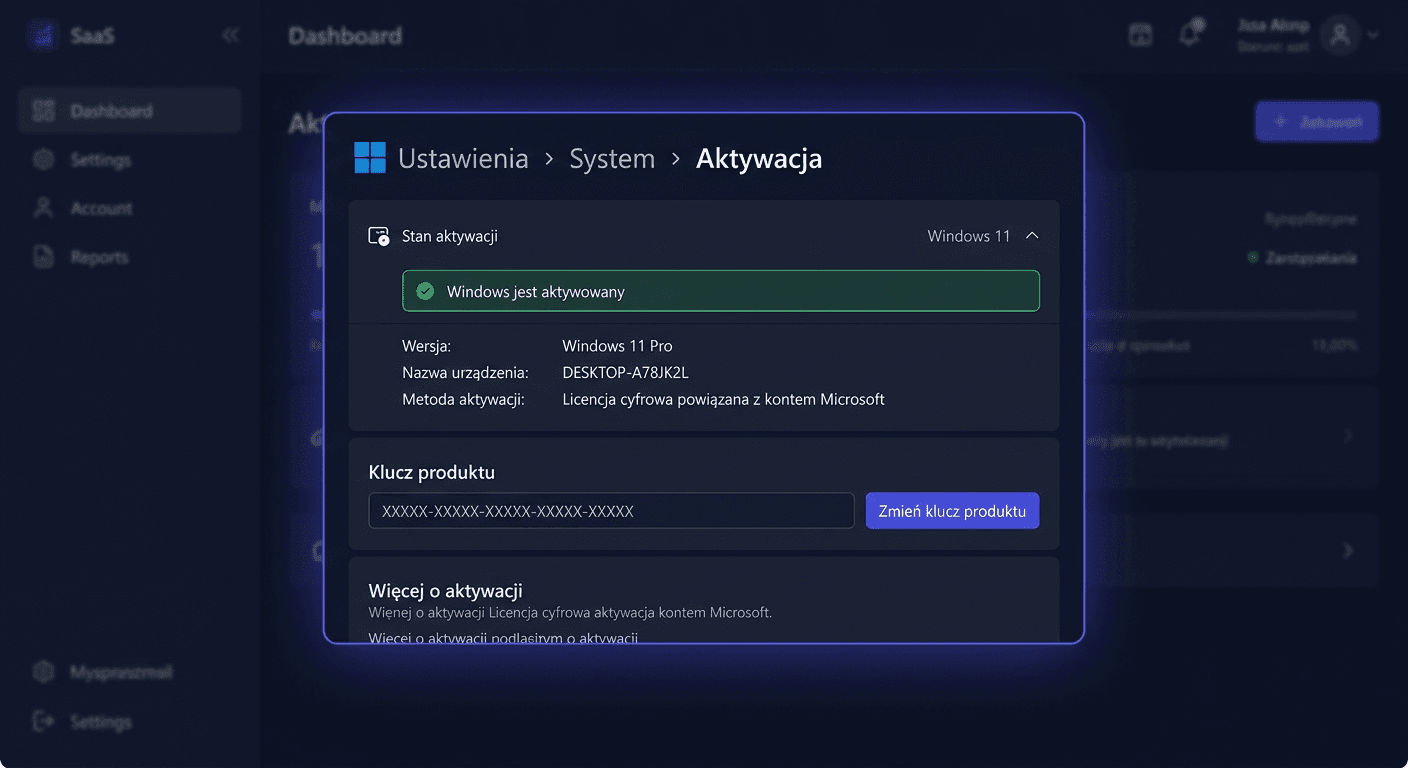
Yes, the offered key should be an original activation key intended for activating the Microsoft Windows 11 Home system. The legality is determined not only by the character string itself, but also by the method of licence distribution, its origin, and compliance with Microsoft's terms of use. For the customer, the most important thing is to receive the correct key, a purchase document, and clear information about the type of licence. After entering the correct key, the system should activate on Microsoft's servers. If you have any doubts, it's worth keeping the VAT invoice and product description, as they confirm the purchase conditions.
How many computers can I activate with one key?
In the case of Windows 11 Home, one key typically activates one computer. This means one device, one activation, and one licence assigned to a specific installation. It is not legal to use the same key simultaneously on multiple computers, even if they belong to the same person or company. If you need the system on a larger number of devices, it will be necessary to purchase separate licences for each workstation.
Is the Windows 11 Home licence perpetual?
In most offers for Windows 11 Home, the licence is perpetual, meaning it does not expire after a year or a few months. After correct activation, you can use the system for as long as the installation is supported and the licence assignment conditions to the device are met. However, perpetuity does not mean eternal technical support for each system version. Microsoft ends support for specific releases and builds, regardless of the fact that the licence itself remains valid.
Can I transfer the licence to another computer?
It depends on the type of licence. In the case of a device-assigned licence, most commonly found in OEM versions, transferring to a new computer is usually not possible. On the other hand, retail/FPP licences can be transferable, provided they are uninstalled from the previous device and used on only one computer at a time. Therefore, it's worth checking the product description before purchasing. If you're buying Windows 11 Home with the intention of future hardware replacement, the choice of licence type has real significance.
What is the difference between Standard, Pro, and PP editions?
For a home user, the most important distinction is between Home and Pro. Windows 11 Home is intended for everyday use: internet, learning, multimedia, games, and office work. Windows 11 Pro offers additional features for more demanding users and businesses, such as domain joining, BitLocker, Hyper-V, or advanced device management. The PP abbreviation is sometimes used in stores as a designation for the boxed/portable version, i.e., similar to retail/FPP, and not a separate system edition. In other words: Home and Pro are system editions, while PP more often refers to the type of licence or distribution method.
Does this key work on Windows 10, Windows 11 or Mac?
The key for Windows 11 Home is primarily intended to activate Windows 11 Home. In practice, it should not be assumed that it will activate Windows 10 Home, Windows 11 Pro or any other edition of the system. Keys work according to the assigned product version. On Apple Mac computers, such a key does not activate the macOS system, as it is a completely different operating system. It may only be applicable when installing Windows on a compatible Mac in an environment that allows Windows to run and meets the licensing and technical requirements.
What to do when the key does not work?
First, check if the correct edition is being installed, i.e., exactly Windows 11 Home. Very often, the problem results from attempting to activate the Pro version or a typo when entering the key. It is also worth ensuring that the computer has an internet connection and that the system has not been modified previously. If activation still fails, prepare a screenshot of the error, order number, and information about the installed system version. This significantly speeds up assistance. A reputable seller usually helps with key verification and guides the customer through the correct activation process.
How long does Microsoft support Windows 11 Home?
Microsoft provides support for Windows 11 within the product lifecycle and for specific functional versions of the system. In practice, this means regular security updates, bug fixes, and improvements for a specified period for a given version. The user should install system updates, as they keep the device in a supported state. The license itself may be perpetual, but technical support and updates always apply to the current version of Windows 11.
Will I receive a VAT invoice?
Yes, when purchasing from a professional online store, the customer should receive a VAT invoice or another sales document compliant with the purchase form. This is important for both private individuals and companies, as the document confirms the transaction conditions, purchase date, and seller. In the case of digital licenses, the invoice is often sent electronically. It is worth keeping it along with the message containing the activation key.
How quickly will I receive the key after purchase?
Windows 11 Home keys are usually delivered digitally, so the processing time is typically short. In many cases, the key arrives in the email within a few minutes of payment being processed, although with selected payment methods or order verification, it may take longer. It is safest to check the spam/offers folder and the correctness of the email address provided with the order. If the message does not arrive within a reasonable time, it is worth contacting the store's support.
Can I install Windows 11 Home offline?
The system installation itself can be performed from an installation medium, also without a constant internet connection. However, it is necessary to distinguish installation from activation. To activate the key, an internet connection to Microsoft servers is usually required, so the full completion of the process typically requires internet access. After activation, the system can work normally, but for security and updates, it is recommended to connect online later.
Contact
If you have any further questions or concerns, please do not hesitate to contact us at [email protected] or call us at 00 800 121 1654.
What do OEM, retail, and volume licenses mean?
OEM is a license assigned to a specific computer, usually cheaper, but with limited transferability. Retail/FPP is a retail license, which typically offers greater flexibility and can be transferred to another computer if it is no longer used on the previous one. Volume is a collective licensing intended mainly for organisations, companies, and institutions managing multiple workstations. When purchasing Windows 11 Home for a single home user, the choice usually comes down to OEM or retail. It is this parameter that later affects the possibility of transferring the license and the way it is used.