
Windows 11 Pro + Office 2024 Pro Plus + Bitdefender Antivirus Plus Bundle
The Windows 11 Pro + Office 2024 Pro Plus + Bitdefender Antivirus Plus bundle is a package for users who want to prepare their workstation, office environment, and basic computer protection at the same time. The price of 552.03 zł includes three separate products and three separate activation keys, providing greater flexibility than bundles tied to a single device.
It's important to note: each key is assigned to a separate product, so they can be activated independently of each other. In practice, this means that the Windows system can be installed on one computer, Office on another, and Bitdefender activated on yet another device, as long as it's done in accordance with the scope of the given license.
What the Bundle Includes
After purchasing, the customer receives:
- a license key for Windows 11 Pro
- a license key for Office 2024 Pro Plus
- an activation code or details for Bitdefender Antivirus Plus
- installation and activation instructions
- access to support in case of activation problems
The biggest advantage of the bundle is savings compared to buying each product separately. The package is usually more cost-effective than three separate purchases, while maintaining full license independence. The customer does not receive a single common code, but 3 separate keys, which simplifies later software management.
Requirements and Compatibility
Windows 11 Pro
Windows 11 Pro requires a computer that meets Microsoft's official requirements, in particular:
- a processor compatible with Windows 11
- TPM 2.0 module
- enabled Secure Boot
- at least 4 GB RAM
- at least 64 GB of disk space
The system is primarily intended for newer desktop and laptop computers. Before purchasing, it's worth checking the hardware compatibility, especially on older devices.
Office 2024 Pro Plus
Office 2024 Pro Plus works on computers with a supported Windows system. For installation, you need:
- a current Windows system
- an internet connection to download and activate
- a user account with administrator privileges
The package will work well at home, in the office, for accounting, education, and document work.
Bitdefender Antivirus Plus
Bitdefender Antivirus Plus is designed for Windows systems and requires:
- an active internet connection
- an account with the manufacturer's service
- downloading the installer from the Bitdefender website
The program works as a separate protective product and is not activated like Windows or Office with a local system command.
Installation and Activation
Windows 11 Pro
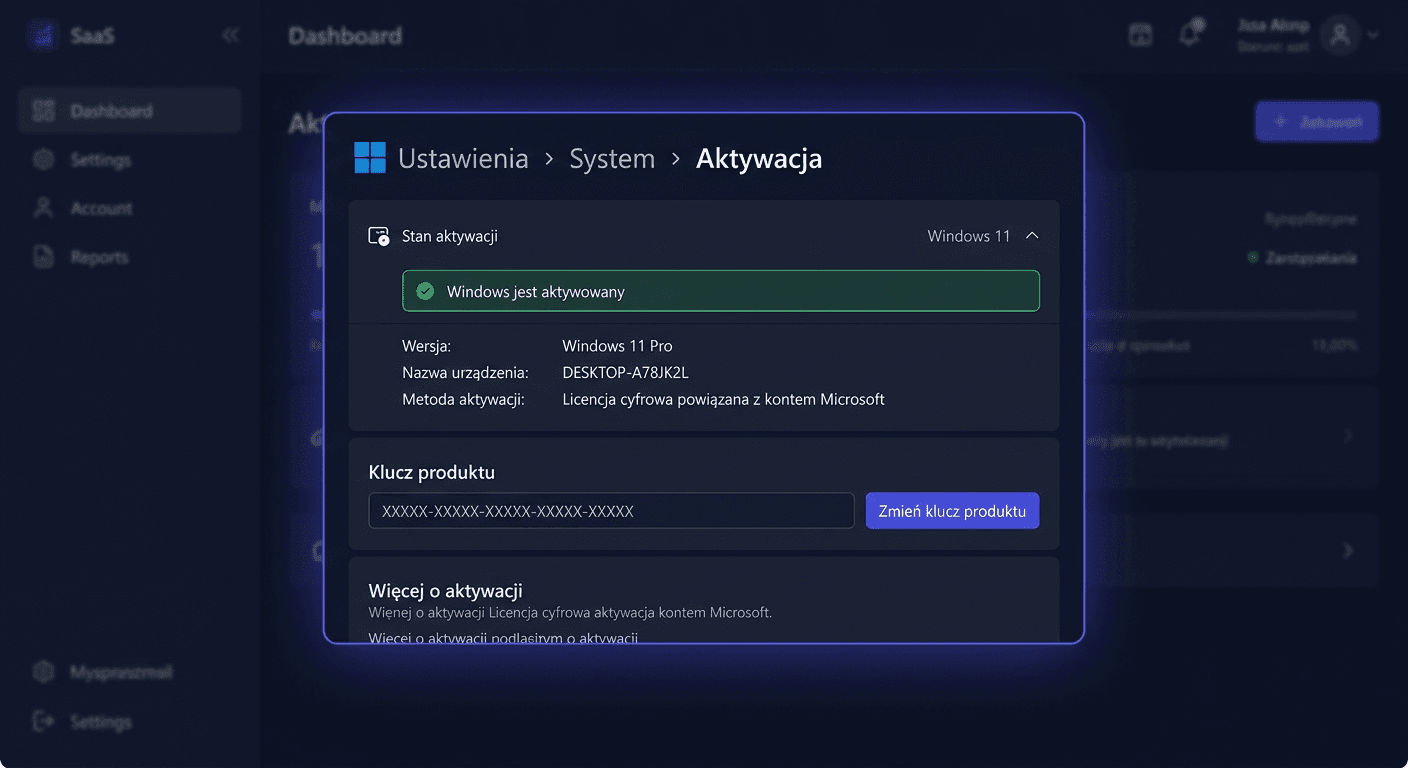
After installing the system, you can perform activation in the graphical interface:
- Open Settings.
- Go to System > Activation.
- Select the option to change the product key.
- Enter the received Windows 11 Pro key.
- Confirm and wait for activation.
Activation can also be performed from the command line run as an administrator:
slmgr.vbs /ipk XXXXX-XXXXX-XXXXX-XXXXX-XXXXX
slmgr.vbs /ato
If internet activation fails, you can use phone activation by calling:
00 800 121 1654
For any issues or concerns, please contact us at [email protected] or visit our website for more information.
Office 2024 Pro Plus
Office must be installed first and then activated with the assigned key. In many cases, activation takes place automatically when the application is launched, but you can also use commands in CMD as an administrator.
Example activation:
cd "C:\Program Files\Microsoft Office\Office16"
ospp.vbs /inpkey:XXXXX-XXXXX-XXXXX-XXXXX-XXXXX
ospp.vbs /act
On 64-bit systems with a 32-bit Office package, the path may look like this:
cd "C:\Program Files (x86)\Microsoft Office\Office16"
ospp.vbs /inpkey:XXXXX-XXXXX-XXXXX-XXXXX-XXXXX
ospp.vbs /act
If online activation does not work, Microsoft's telephone activation may also be helpful:
00 800 121 1654
Bitdefender Antivirus Plus
Bitdefender is activated through the manufacturer's website, not through slmgr or ospp.vbs. The standard process looks like this:
- Create or log in to a Bitdefender account.
- Add the activation code in the manufacturer's panel.
- Download the installer assigned to the account.
- Install the program and log in to the application.
Verification
After activation, it's worth checking the status of each product.
For Windows:
- go to Settings > System > Activation
- the status should indicate that the system is activated
For Office:
cscript ospp.vbs /dstatus
For Bitdefender:
- check in the manufacturer's account panel if the subscription is active
- verify that the device is listed as protected
Troubleshooting
Error 1: Windows does not activate after entering the key
Possible causes:
- typo in the key
- incorrect edition of the system installed
- temporary problem with the activation server
Solution:
- check if Windows 11 Pro is installed, not Home
- re-enter the key
- run:
slmgr.vbs /ipk XXXXX-XXXXX-XXXXX-XXXXX-XXXXX
slmgr.vbs /ato
- if necessary, use the phone 00 800 121 1654
Error 2: Office reports a key compatibility issue
This usually means that the product version is incompatible with the key or that there are remnants of an older Office version.
Solution:
- uninstall previous Office versions
- install the correct edition
- reactivate using the command:
ospp.vbs /inpkey:XXXXX-XXXXX-XXXXX-XXXXX-XXXXX
ospp.vbs /act
Error 3: ospp.vbs does not work in CMD
The cause is usually running the command in the wrong directory.
Solution:
- go to the correct Office installation path
- run
CMDas an administrator - repeat the command after entering the
Office16directory
Error 4: Bitdefender does not accept the code
Possible reasons:
- the code was entered in the wrong panel
- activation was not performed on the manufacturer's account
- the account is logged in to a different region or profile
Solution:
- log in directly to the Bitdefender website
- add the code manually in the subscription panel
- ensure that the installer comes from the account to which the license is assigned
If you need further assistance, please contact us at [email protected] or call 00 800 121 1654.
Comparison with alternatives
Compared to purchasing individual licenses, this set offers one clear advantage: lower total cost. This is a good solution for those who are building a new computer, preparing a laptop for work, or want to supplement missing software all at once.
In comparison to free alternatives:
- free systems cannot replace a legitimate Windows 11 Pro license in an environment requiring professional features
- free office suites may not provide full compatibility with Office documents
- free antivirus software usually offers a narrower range of protection and fewer support features
An advantage of this set is also that the keys are separate, so the user does not lose flexibility. This is not an "all-in-one" package, but three independent products that can be distributed according to needs.
Summary
The Windows 11 Pro + Office 2024 Pro Plus + Bitdefender Antivirus Plus package for 552,03 zł is a practical choice for home and business users who want to legally run the system, office suite, and antivirus protection. The customer receives three separate keys, can install products on different computers, and realistically saves compared to individual purchases.
If Windows or Office activation fails online, you can use Microsoft's telephone activation at 00 800 121 1654. If you have any questions or need help, please contact us at [email protected].