
Windows 11 Pro + Office 2024 Pro Plus + Norton 360 Deluxe Bundle
Bundle price: 543,90 zł is a convenient solution for those who want to equip their computer with an operating system, office package, and antivirus protection at the same time. In this variant, the customer receives three separate products and three separate keys, which is of significant practical importance: each element of the bundle can be activated independently, and if needed, also installed on different computers, in accordance with the licensing terms of the given product.
What the bundle includes
After purchase, the customer receives:
- a license key for Windows 11 Pro
- a license key for Office 2024 Pro Plus
- a license/key for Norton 360 Deluxe
- installation and activation instructions
- a sales document confirming the purchase
The most important benefit of this package is that it is not a single common code for the entire set, but three independent keys. This allows:
- activating each product separately
- installing products at different times
- assigning them to different devices, if the license allows
- easier management of reinstallation or hardware replacement
An additional advantage is savings compared to separate purchases. The bundle is usually more cost-effective than compiling the system, Office package, and internet protection in three separate orders.
Requirements and compatibility
Windows 11 Pro
Windows 11 Pro requires a modern computer compatible with Microsoft's requirements, in particular:
- a 64-bit processor
- at least 4 GB of RAM
- at least 64 GB of disk space
- a TPM 2.0 module
- UEFI with Secure Boot function
If the device does not meet the Windows 11 requirements, it is recommended to consider upgrading the hardware. In older environments or those covered by ESU programs, it is worth planning the migration in advance, as continuing to work on an outdated platform increases the risk of security and compatibility issues.
Office 2024 Pro Plus
The Office 2024 Pro Plus package is intended for computers with a compatible Windows system. It is recommended to have:
- an up-to-date system environment
- an internet connection for activation
- administrator privileges during installation
Norton 360 Deluxe
To activate, you need:
- internet access
- a user account with the manufacturer
- a compatible operating system indicated by the software provider
Installation and activation
Windows 11 Pro
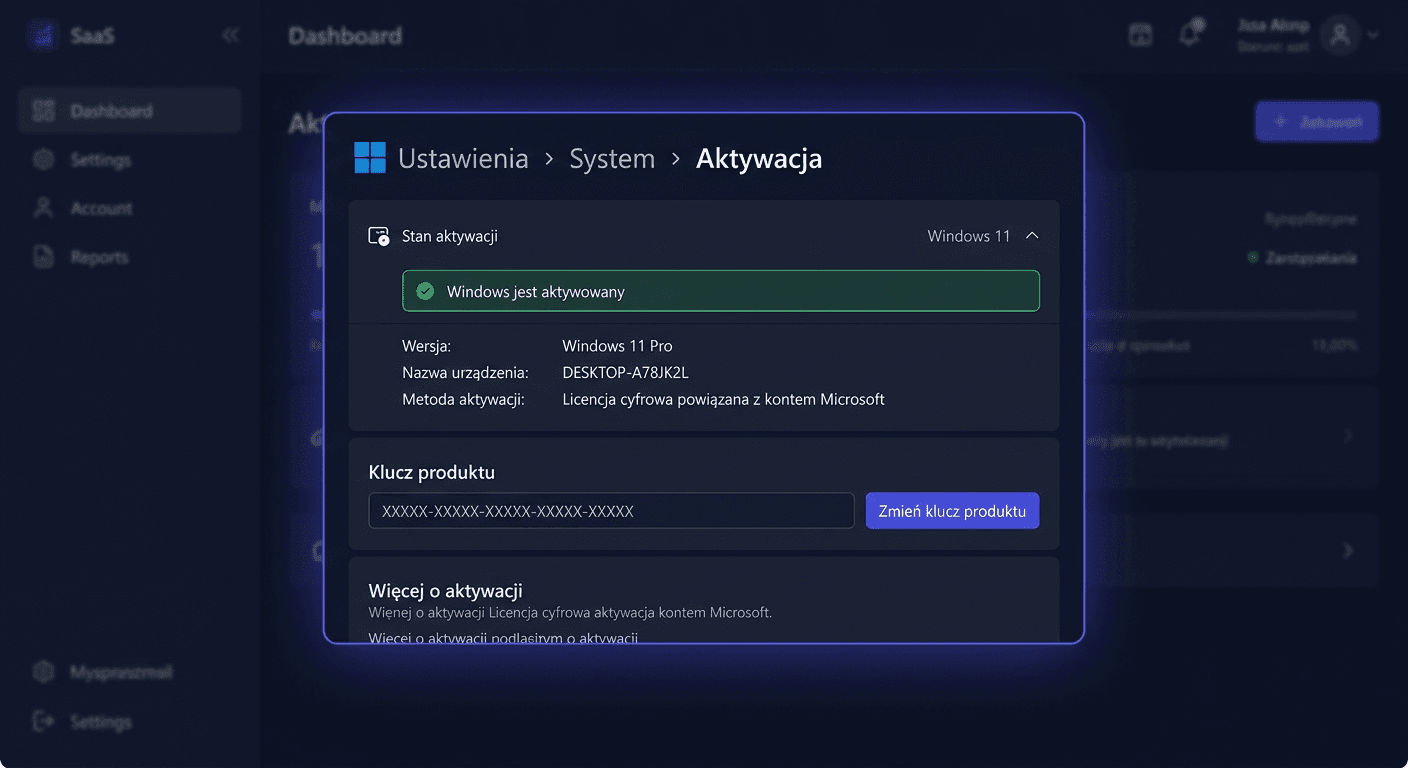
After installing the system, you can activate it from the graphical interface:
- Open Settings.
- Go to System > Activation.
- Select the option to change the product key.
- Enter the received Windows 11 Pro key.
- Confirm activation.
Activation can also be performed in the command line run as an administrator:
slmgr.vbs /ipk XXXXX-XXXXX-XXXXX-XXXXX-XXXXX
slmgr.vbs /ato
If online activation fails, phone activation is possible at the number:
00 800 121 1654
Office 2024 Pro Plus
The Office package installation should be performed from the appropriate media or installation source, and then activation should be carried out. From the Office application level, a prompt to log in or enter a key usually appears.
In console mode, you can use the ospp.vbs tool run in the Office installation directory:
ospp.vbs /inpkey:XXXXX-XXXXX-XXXXX-XXXXX-XXXXX
ospp.vbs /act
If internet activation does not work, you can use phone activation, if the given installation scenario allows it:
00 800 121 1654
For any questions or concerns, please contact us at [email protected] or call 00 800 121 1654.
Norton 360 Deluxe
Antivirus software is usually activated through the manufacturer's website, rather than through the Windows system mechanism. The standard process looks like this:
- Create an account or log in to the manufacturer's website.
- Enter the received activation code.
- Download the Norton application.
- Install the program and log in to the account.
- Check the protection status after installation is complete.
Verification
After activation, it's worth checking if each element of the set works properly.
For Windows 11 Pro:
- in Settings > System > Activation the activation status should appear
- the system should not display a message about the need to activate
For Office 2024 Pro Plus:
- run Word or Excel
- go to the Account section
- check if the product is listed as activated
For Norton 360 Deluxe:
- log in to the application
- check if the subscription is active
- make sure real-time protection is enabled
Troubleshooting
1. Windows key is not accepted
Possible causes:
- typo when entering
- attempting to use a key for a different system edition
- version compatibility issue with the license
Solution:
- check if Windows 11 Pro is installed, not another edition
- re-enter the key
- activate through:
slmgr.vbs /ipk XXXXX-XXXXX-XXXXX-XXXXX-XXXXX
slmgr.vbs /ato
2. Office reports an activation error
Most common reasons:
- no internet connection
- incorrect version of the package
- remnants of an older Office installation
Solution:
- uninstall old versions of Office
- run activation again
- use:
ospp.vbs /inpkey:XXXXX-XXXXX-XXXXX-XXXXX-XXXXX
ospp.vbs /act
3. Online activation does not work
Sometimes the activation server rejects the attempt for technical or regional reasons.
Solution:
- try again after a few minutes
- run the system as an administrator
- use phone activation: 00 800 121 1654
4. Norton does not activate after entering the code
Possible causes:
- activation was performed on the wrong account
- the code was not added to the manufacturer's account
- the wrong installer was downloaded
Solution:
- log in to the correct manufacturer's account
- check subscription history
- re-download the application from the user panel
Comparison with alternatives
Purchasing this set makes sense for users who want to quickly complete a full work environment. Compared to alternatives:
- Windows 11 Pro alone is a good solution if the office package and antivirus are already available
- Windows + Office without antivirus works for people using another security solution
- separate subscriptions offer greater flexibility, but usually mean a higher total cost
- older systems or older Office may be tempting with a lower price, but mean a higher risk of support and compatibility issues
If you're comparing the set to older generation solutions, it's worth remembering about migration. Obsolete systems, legacy products, and ESU-covered environments should not be treated as a long-term direction for a new workstation.
For any further assistance, please contact us at [email protected] or visit the KluczeSoft website for more information.
Summary
Windows 11 Pro + Office 2024 Pro Plus + Norton 360 Deluxe is a practical package for home and business users who want to receive a complete set of basic software in one order. The most important advantages are three separate keys, the possibility of independent activation, the option to use products on different computers, and savings compared to buying separately.
In case of activation problems, it's worth checking the version compatibility, correctness of the entered key, and internet connection first. If online activation fails, telephone activation may be helpful by calling:
00 800 121 1654